
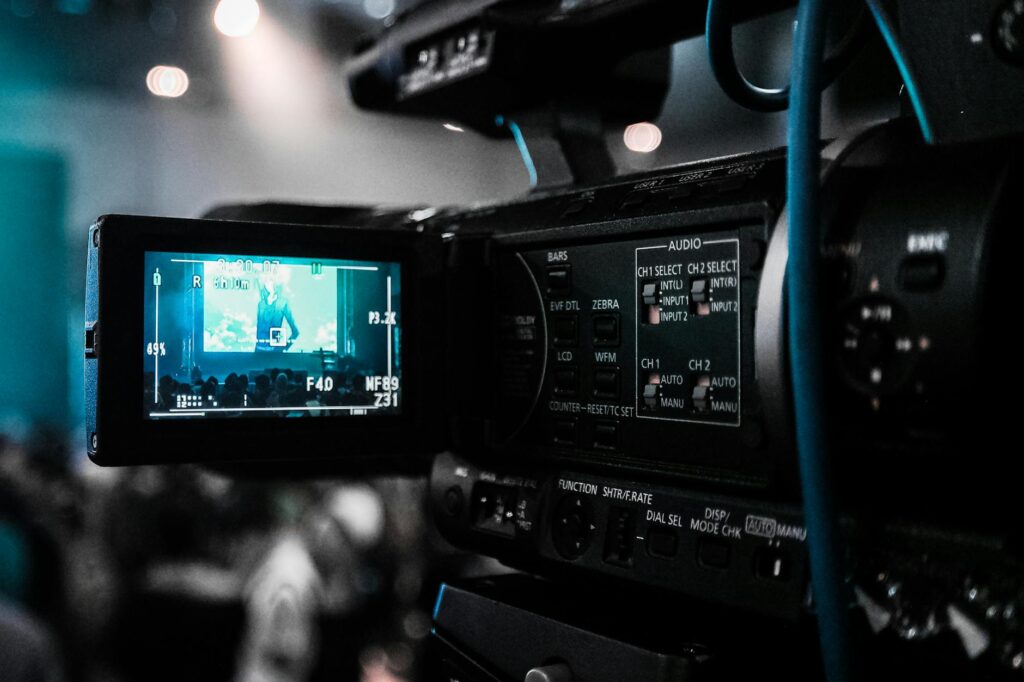
This guide covers everything about video&a. Transforming raw footage and sound recordings into compelling narratives is the art of video and audio editing. Whether you’re a budding filmmaker, a content creator, a podcaster, or a business professional, fundamentals of video & audio editing is really important to delivering polished, impactful content. This guide will walk you through the essential aspects of video & audio editing, from fundamental techniques to practical tips and tool recommendations, ensuring your content stands out in a crowded digital space.
Last updated: April 18, 2026
Latest Update (April 2026)
The creator economy continues to evolve rapidly in 2026, with advancements in artificial intelligence and hardware impacting video and audio editing workflows. For instance, Meta introduced its SAM AI model in late 2025, enabling sophisticated audio isolation and editing capabilities, as reported by theregister.com. Apple has also entered the creator space with its ‘Creator Studio’ package, bundling essential video and audio tools, according to Mashable. These developments highlight a trend towards more integrated and AI-assisted post-production processes.
Basics of Video & Audio Editing
At its core, video editing involves assembling recorded raw material into a new, coherent piece. This could be anything from trimming clips and arranging them in a logical sequence to adding transitions, text, graphics, and music. Audio editing, similarly, focuses on refining sound recordings. This includes removing unwanted noise, adjusting volume levels, enhancing speech clarity, and synchronizing audio with video. The combination between video and audio is what truly brings content to life. Poor audio can ruin an otherwise visually stunning video, just as choppy or uninspired editing can detract from excellent sound design. Mastering both aspects ensures a professional and engaging viewer experience.
Important: Remember that the goal of video & audio editing is to serve the story or message. Don’t let technical flourishes overshadow the core content. Always ask yourself if a particular edit or audio adjustment enhances clarity and engagement.
Essential Video Editing Techniques
Effective video editing goes beyond simply cutting and pasting clips. It’s about pacing, flow, and visual storytelling. Here are some fundamental techniques every editor should know:
- The Cut: The most basic transition, a cut, is simply an abrupt change from one shot to another. Mastering different types of cuts, like the hard cut, J-cut, and L-cut, is essential for creating a smooth and engaging rhythm. A J-cut (audio leads video) or L-cut (video leads audio) can create a smooth transition, making the viewer feel more immersed.
- Transitions: While simple cuts are often best, various transitions can be used to signify a change in time, location, or topic. These include dissolves, fades, wipes, and more complex motion graphics. Use them judiciously. overuse can make your video look amateurish.
- Pacing and Rhythm: The speed at which you present information and visuals is critical. Fast-paced editing can create excitement, while slower pacing might be better for dramatic or reflective moments. Analyze the emotional arc of your content and edit accordingly.
- Color Correction and Grading: Color correction ensures that the colors in your footage are accurate and consistent across different shots. Color grading, But — is used to create a specific mood or aesthetic. You can dramatically impact how your audience perceives the video.
Mastering Audio Editing for Clarity
Great audio is often the unsung hero of compelling content. Viewers will tolerate less-than-perfect visuals more readily than poor audio. Here’s how to enhance your sound:
- Noise Reduction: Background noise, hums, or static can be distracting. Most audio editing software offers noise reduction tools. Use them carefully to remove unwanted sounds without making the desired audio sound artificial or muffled. A common mistake is over-applying noise reduction — which can create a robotic effect.
- Leveling and Normalization: Ensure that your audio levels are consistent throughout the video. Loud music can drown out dialogue, and quiet speech can be hard to hear. Normalization adjusts the overall volume to a standard level, while compression helps to reduce the dynamic range (the difference between the loudest and quietest parts).
- EQ (Equalization): EQ allows you to adjust the balance of different frequencies in your audio. You can use it to make voices sound clearer, reduce muddiness, or add warmth. For spoken word, experts recommend boosting frequencies in the 1kHz-4kHz range to improve intelligibility.
- Sound Design and Mixing: This involves adding sound effects, background music, and ensuring all audio elements are balanced. The goal is to create an immersive sonic environment that complements the visuals and enhances the narrative without being distracting.
According to reports, viewers consider audio quality really important when deciding whether to continue watching a video. As Digital Camera World recently highlighted in their review of the best headphones for video editing in 2026, investing in quality audio tools is essential for achieving professional results.
Choosing the Right Video & Audio Tools
The software and hardware you choose impacts your editing process. Fortunately, there are options for every skill level and budget in 2026.
Video Editing Software (NLEs)
Non-Linear Editors (NLEs) are the workhorses of video editing. They allow you to edit video clips non-sequentially, offering flexibility and precision. Based on recent reviews, top NLEs for 2026 include Adobe Premiere Pro, Final Cut Pro (for macOS users), DaVinci Resolve (known for its powerful color grading and free tier), and Avid Media Composer (a professional standard). Wirecutter’s recent analysis of the best laptops for video and photo editing in 2026 also highlights the importance of hardware that can handle demanding NLE software.
Audio Editing Software (DAWs)
Digital Audio Workstations (DAWs) are used for recording, editing, and producing audio. Popular choices include Audacity (free and open-source), Adobe Audition, Logic Pro (macOS), and Pro Tools. For podcasters and voice-over artists, specialized tools for noise reduction and voice enhancement are often integrated or available as plugins.
Hardware Considerations
High-performance hardware is essential for smooth editing. According to PCMag.com’s 2026 testing, the best video editing software demands capable machines. This includes powerful processors, ample RAM (32GB or more recommended for complex projects), fast SSD storage, and capable graphics cards. For audio work, quality headphones are vital. As Digital Camera World noted, the best headphones for video editing in 2026 offer high-quality audio reproduction for every budget, allowing editors to accurately hear nuances in sound.
Optimizing Your Video & Audio Editing Workflow
An efficient workflow saves time and reduces frustration. Here are some tips:
- Organize Your Media: Create a clear folder structure for your project files, footage, audio, and graphics before you start editing.
- Use Proxies: For high-resolution footage that your system struggles to play back smoothly, create lower-resolution proxy files for editing.
- Keyboard Shortcuts: Learn and use keyboard shortcuts for your editing software. This speeds up repetitive tasks.
- Regular Backups: Save your project frequently and back up your media files to an external drive or cloud storage.
- Batch Processing: For tasks like color correction or audio normalization across multiple clips, use batch processing features to save time.
Common Video & Audio Editing Mistakes to Avoid
- Overusing Transitions and Effects: Stick to simple, clean edits unless a specific effect serves a clear narrative purpose.
- Poor Audio Quality: Neglecting audio leads to viewer drop-off. Always prioritize clear, well-balanced sound.
- Inconsistent Pacing: A video that drags or rushes will disengage viewers. Ensure a consistent and appropriate pace for your content.
- Ignoring Color Consistency: Mismatched colors between shots look unprofessional.
- Excessive Noise Reduction: This can make dialogue sound unnatural and robotic.
Frequently Asked Questions
what’s the most important aspect of video editing?
The most important aspect is serving the story or message. Technical execution should always support the narrative and enhance viewer engagement, rather than distracting from it.
How much RAM do I need for video editing in 2026?
For basic video editing, 16GB of RAM might suffice, but for smoother performance with higher resolutions and complex projects, 32GB or more is highly recommended, according to industry benchmarks and hardware reviews from sites like Wirecutter.
Can AI help with audio editing?
Yes, AI is increasingly assisting with audio editing tasks. Tools can now perform advanced noise reduction, isolate specific sounds, and even help with speech enhancement, as demonstrated by developments like Meta’s SAM AI.
What’s the difference between color correction and color grading?
Color correction aims to fix white balance and exposure issues to make footage look natural and consistent. Color grading is a creative process used to establish a specific mood, aesthetic, or visual style for the video.
Are free video editing software options good enough for professionals?
While free options like DaVinci Resolve (with its Studio version offering more features) and OpenShot are excellent, professional broadcast and film industries often rely on paid software like Adobe Premiere Pro or Avid Media Composer for their advanced features, collaborative workflows, and extensive support.
Final Thoughts
Mastering video and audio editing is an ongoing journey that blends technical skill with creative vision. By fundamentals, employing effective techniques, choosing the right tools, and optimizing your workflow, you can elevate the quality and impact of your content. As new technologies emerge and user expectations evolve in 2026, staying adaptable and continuously learning will be key to creating compelling narratives that resonate with audiences.
Source: Britannica
Related Articles
- Architectural Stone Elements: Your 2026 Guide
- AC Milan vs SSC Bari Timeline: A Football History Update
- Zuyomernon System Basketball: Your Ultimate Guide 2026
Editorial Note: This article was researched and written by the Axela note editorial team. We fact-check our content and update it regularly. For questions or corrections, contact us.